



























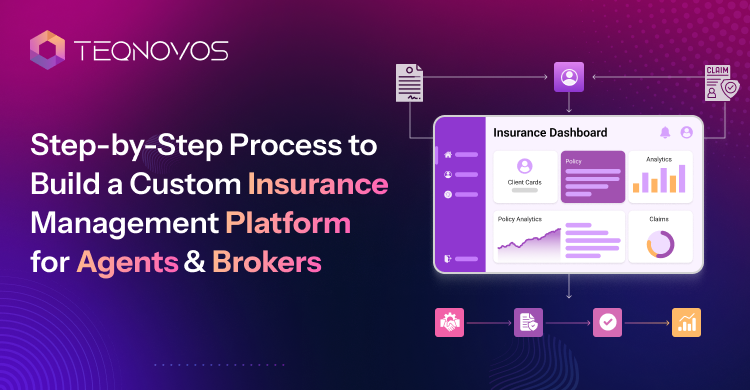
Step-by-Step Process to Build a Custom Insurance Management Platform for Agents & Brokers
Insurance CRM development helps agents manage leads, policies, claims, renewals, and customer data in one secure platform built for faster workflows.
Insurance agents and brokers deal with many moving parts every day. Customer data sits in different tools. Follow ups get delayed. Renewals are easy to miss. Claims tracking often depends on manual updates. Teams also struggle when they cannot see the client’s history. These gaps can slow down service and affect customer trust. This guide on an insurance app development company explains how digital apps support policy access, claims tracking, and customer service.
CRM (Customer Relationship Management) gives insurance teams a better way to manage this work. It keeps leads, policyholders, claims, renewals, and agent workflows in one connected system. With the right insurance CRM development approach, businesses can reduce manual tasks and improve response time. They can also build stronger customer relationships.
This ultimate guide to insurance CRM development covers the step by step process to build a custom insurance management platform for agents and brokers. It also explains key features, CRM integrations, cost factors, and development timelines.
What Is Insurance CRM Development?
Insurance CRM Development is the process of building a CRM (Customer Relationship Management) system for insurance businesses. CRM means software that helps teams manage customer data, sales activity and other service workflows all in one place.
For insurance agents, brokers, and insurers, it supports daily work across the full customer journey. It helps organize client records, manage new leads, track active policies and follow up on claims. These also help in monitoring commissions and automate communication.
A well built insurance CRM makes operations easier to manage. Teams can view customer history and check policy status. They can send timely updates and reduce manual work. This gives insurance businesses better control over customer service, sales pipelines, and policy management.
Why Agents and Brokers Need a Custom Insurance CRM
Agents and brokers are responsible for managing leads, policies, and renewals. They also manage claims and other documentation. A basic tool often fails to support these insurance specific workflows. This can create delays, missed opportunities, and poor visibility across teams.
A custom insurance CRM helps agents respond to leads faster. It keeps customer data in one place and gives teams quick access to policy history. It also supports better policyholder service through reminders, task tracking, and automated communication. This is how CRM improves customer retention in insurance business without adding more manual work.
With centralized data, agents can see every client interaction without switching between tools. Managers can track team activity and identify pending renewals. This creates a smoother process for both the business and the policyholder.
How Does CRM Improve Customer Retention in the Insurance Business?
CRM improves customer retention in insurance business by helping agents stay connected with policyholders at the right time. Timely reminders help teams follow up before renewals expire. Personal follow ups make customers feel valued. Policy alerts reduce the chance of missed updates.
A CRM also stores service history in one place. Agents can view past claims and previous conversations. They can also see policy changes and customer needs before making contact. This helps them offer better support and build long term trust with clients.
Insurance CRM System for insurer Companies
An insurance CRM system for insurer companies needs to do more than store names and contact details. Insurers manage policy data, risk details, claims records, and agent activities. They also handle customer support requests and compliance documents. A basic contact tool cannot handle these workflows with enough control.
A custom CRM helps insurers manage the full policy lifecycle. Teams can track a customer from the first inquiry to policy purchase. They can also manage renewals, claims, and service requests from one platform. This gives every department better visibility and faster access to important records.
Companies focused on medical coverage can also explore health insurance app development services to support member portals claims workflows and policy management.
Customer Profiles
A CRM keeps complete customer profiles in one place. Teams can easily view each customer’s details related to policy interests, communication history, and claim records. This helps insurers understand each customer before taking action.
Policy Details
Policy teams can track active policies, expired policies, and coverage details. They can also view premium status and policy changes. This makes policy management easier and reduces the risk of missing important updates.
Claims History
Claims teams can view claim status and submitted documents. Approval stages and past claim records can be easily tracked. This helps them respond faster and keep customers updated during the claim process.
Renewal Alerts
Renewal alerts help agents and insurers contact customers before a policy expires. These alerts reduce missed renewals and help teams improve customer retention.
Commission Tracking
A custom CRM can track commissions for agents and brokers. It can show policy based earnings, payment status, and pending commission details. This gives sales teams better financial clarity.
Agent Performance
Managers can review agent performance through lead response time, policy conversions, renewal activity, and customer follow ups. This helps insurers identify top performers and improve weak areas.
Customer Support Tickets
Support teams can manage customer issues through ticket tracking. Each ticket can include the request type, priority level, status, and assigned team member. This creates a clear support process.
Document Storage
Insurers handle many documents every day. A CRM can store policy files, claim proof, signed forms, and KYC documents all in one place.
Compliance Logs
Compliance logs help insurers track actions taken inside the platform. Teams can record policy updates, document changes, and approval history. This supports better accountability and regulatory readiness.
Core Features of a Custom Insurance Management Platform
An insurance CRM system for insurer companies needs features that support daily insurance operations. It should help teams manage leads, serve policyholders, and track claims. Teams should be able to handle renewals, store documents, and monitor performance from one place. The right feature set makes the platform easier to use and more valuable for agents and brokers.

Lead and Prospect Management
Lead management helps agents capture new inquiries from different sources. These may include websites, forms, campaigns, or referral sources. The system can track where each lead came from and show which channels bring better prospects. The CRM can then assign leads to the right agent for faster follow up and better conversion.
Policyholder Database
A policyholder database stores complete customer profiles in one secure place. Agents can view contact details, policy status, documents, and communication history without switching between tools.
This feature helps teams understand each customer before they make contact. It also improves service quality because agents can see past interactions and active policy details quickly.
Policy and Renewal Management
Policy management helps teams track active policies, expired policies, quote updates, and renewal dates. It gives agents a clear view of every policy stage.
Renewal reminders help agents contact customers before expiry. This reduces missed renewals and keeps policyholders engaged. It also supports better customer retention and steady revenue flow.
Claims Tracking
Claims tracking helps teams manage the full claim process. Agents can view claim status, upload documents, and send customer updates from the platform.
This feature reduces manual follow ups and improves claim visibility. It also helps customers get timely updates during a stressful process.
Agent and Broker Dashboard
An agent and broker dashboard gives each user a clear view of daily tasks. It can show leads, follow ups, policy renewals, claims, and performance data.
Managers can also use dashboards to review team activity. This helps them track productivity and support agents who need help.
Document Management
Document management keeps important files organized and secure. This feature helps agents find documents faster. It also reduces paperwork and supports better record keeping across the business.
Reporting and Analytics
Reporting and analytics help insurance teams understand performance. The platform can show sales reports and conversion rates. Other key details like retention rates, renewal activity, and agent productivity can be easily viewed. These insights help managers make better decisions.
Build an Insurance CRM That Fits Real Workflows working on your project
Schedule a CallCRM Integration in Insurance Platforms
CRM integration in insurance platforms helps different systems work together without manual data entry. Insurance teams often use separate tools for policies, payments, calls, claims, quotes, and customer communication. When these tools do not connect, teams waste time and risk data errors.
A connected CRM can bring these workflows into one platform. It can sync policy systems, payment gateways, email tools, call tools, quote engines, claim systems, and third party data providers. This gives agents and brokers faster access to customer records and helps teams complete work with fewer delays.
Strong integration also improves customer service. Agents can view payment status, claim updates, call history, and policy records from one place. This creates better visibility and reduces repeated questions for customers.
Best Practices for CRM Integration in Insurance Platforms
Best practices for CRM integration in insurance platforms help insurance teams connect tools without creating data errors or workflow gaps. A clear integration plan also improves security, accuracy, and system performance across the CRM.
- Plan APIs early: Application Programming Interfaces allow two software systems to exchange data securely. Teams should decide which systems need to be connected and what data needs to be moved.
- Map data clearly: Customer details, including their names, policy numbers, payment details, and other important records, should follow the same format across systems to prevent duplication.
- Set access control: Define who can view and edit data. This keeps sensitive insurance records protected.
- Use audit logs: Audit logs should record important actions inside the platform. This helps teams track changes and improve accountability.
- Test every flow: Each integration should be tested before launch. This helps ensure data moves correctly between connected systems.
- Create backup flows: Backup flows should be ready in case any connected system fails. This helps reduce downtime and service disruption.
Key Integrations to Include
A custom insurance CRM should include the right integrations based on business workflows. These integrations help agents, brokers, and insurers manage daily operations with less manual work.
- Payment gateways help teams collect premiums and track payment status.
- Email marketing tools support policy updates and renewal reminders.
- Call center software helps agents manage calls, record notes, and view customer history.
- Quote engines help teams create and update policy quotes faster.
- Claims systems support claim status tracking and approval workflows.
- Accounting tools help manage invoices, commissions, and financial records.
- Document signing tools make it easier to collect signed forms and approvals.
- Customer portals allow policyholders to view policies, submit requests, and upload documents.
- Mobile apps help agents access leads, policies, tasks, and customer data while working outside the office.
How to Build a Scalable CRM for Insurance Agents & Brokers
A strong insurance customer relationship management system or CRM needs a clear build plan. This section works as an ultimate guide to insurance CRM development for teams that want better control across leads, policies, claims, and renewals.

Step 1: Define Business Goals
The process starts with clear business goals. The team defines target users and studies what agents need each day. It also reviews insurer goals and customer service needs. This helps shape a platform that solves real workflow problems.
Step 2: Map User Roles
Every user needs the right access and workflow. The platform should support admins, agents, brokers, and customers. Clear role mapping helps each user complete tasks faster. It also keeps daily operations more organized.
Step 3: Finalize CRM Features
The next step is to finalize the core CRM features. The platform should support lead management policy, tracking claims and renewals. This helps explain how to build a scalable CRM for insurance agents with features that support daily sales and service tasks.
Step 4: Design CRM Workflows
Workflows define how tasks move through the platform. Leads should move from inquiry to quote with clear steps. Quotes should move into policies without confusion. Policies should connect with renewals. Claims should move toward resolution with full visibility.
Step 5: Plan Data Architecture
Data architecture defines how information is stored and used. The platform should manage customer data, policy data, claim records, agent records, and reporting data. A clear structure improves search speed and accuracy. It also supports better reporting and future growth.
Step 6: Build UI and UX
The platform needs clean dashboards, simple navigation, quick search, and mobile access. A simple design helps teams complete tasks with less training. A CRM with dashboards portals and admin panels may also need custom web development for secure browser based access.
Step 7: Develop Core Modules
The development phase builds the main modules. These include the CRM module, policy module, claims module, and other important modules. Each module should connect with the main workflow. This helps the platform work as one complete system.
Step 8: Add Security and Compliance
Insurance platforms handle sensitive data. The system should include encryption, secure login, role based access, and data backup. These controls help protect customer and policy data. They also support stronger trust and safer operations.
Step 9: Test the Platform
Testing helps confirm that the platform works correctly. The team should test workflows, integrations, security, user journeys and performance. This stage also helps clarify the cost & timeline to develop insurance CRM software because fixes are easier to manage before launch.
Step 10: Launch and Improve
The final step is launch and ongoing improvement. Deployment should include user onboarding support and feedback collection. Real usage helps teams plan better updates. This is where CRM improves customer retention in insurance business through faster service, better follow ups and smoother renewals. Businesses can hire dedicated developers when they need long term CRM upgrades, integrations and post launch support.
Cost Planning Note
Budget planning should happen before full development starts. A clear cost breakdown of insurance management software development helps businesses plan feature integrations, testing, and support with better control. This also reduces surprise costs during the build.
Custom vs SaaS CRM for Insurance
A SaaS CRM can reduce setup time for simple insurance workflows. This related guide on SaaS platform development companies explains how SaaS products support quick digital adoption. A custom CRM fits best for complex insurance operations. However, custom vs saaS CRM for insurance depends on workflow depth and cost goals.
| Factor | Custom CRM | SaaS CRM |
| Best Fit | Unique insurance workflows and complex operations | Standard CRM needs and simple workflows |
| Setup | Takes longer due to custom development | Quick setup with ready made features |
| Cost | Higher upfront cost with long term value | Lower upfront cost with subscription fees |
| Flexibility | Supports policy claims, renewals and agent workflows | Limited to available platform features |
| Integrations | Allows secure and complex system connections | Supports common integrations only |
| Control | Full control over features, data, and updates | It relies on the provider’s limits and future updates. |
Custom CRM works better when agents and brokers need policy specific workflows, secure integrations, and full control over features. SaaS CRM works better when the business needs a fast launch and basic customer management. Custom vs SaaS CRM for insurance should be decided based on operational complexity and future control needs.
Cost Breakdown of Insurance Management Software Development
A clear cost plan helps businesses set the right budget before development starts. Cost & timeline to Develop Insurance CRM software depend on feature depth, user roles, integrations, and security needs. A basic system costs less because it covers simple workflows. Advanced systems need more planning and testing. Here is the cost breakdown of insurance management software development based on basic, mid level, and advanced feature requirements.
Basic CRM
A basic CRM works well for teams that need simple customer and policy control. It can include lead management, customer profiles, and policy records. This version usually sits in the lower cost range because the workflow stays simple.
Key features include the following:
- Lead management
- Customer profiles
- Policy records
- Basic reporting
- Lower development cost range
Mid Level CRM
A mid level CRM supports more daily insurance operations. It can include claims tracking, renewal automation, third party integrations, and other important modules. This level suits businesses that need better control across sales, service, and policy tasks.
Key features include the following:
- Claims tracking
- Renewal automation
- Document management
- Third party integrations
- Agent dashboards
Advanced CRM
Advanced CRM platforms can also connect with AI-powered insurance app development when insurers need smarter claims support, predictive insights, and automated policy recommendations. This type of insurance CRM system for insurer companies needs deeper planning because it handles more data roles and security layers.
Key features include the following:
- AI recommendations
- Predictive analytics
- Mobile apps
- Customer portal
- Complex integrations
- Compliance automation
Cost Factors
Cost & timeline to develop insurance CRM software can change based on the size of the platform. Feature complexity plays a major role. The number of user roles also affects cost because each role needs its own access and workflow.
Integration needs can increase the budget when the CRM connects with policy systems, payment tools, document tools, or customer portals. Security needs also matter because insurance platforms handle sensitive customer and policy data. Mobile app development, design, complexity, maintenance, and support also shape the final cost.
A careful insurance CRM development plan helps businesses control costs from the start. It also helps teams choose the right feature level before they move into design and development.
Plan Your Insurance CRM With Better Cost Clarity —build a secure platform for agents and brokers.
Schedule a CallConclusion
A custom insurance management platform helps agents and brokers manage leads, policies, claims, renewals, and customer relationships in one place. It brings daily insurance tasks into a clear and connected system. It also improves visibility across teams and supports faster service. Businesses that follow best practices for CRM integration in insurance platforms can connect data workflows and tools with better control.
A clear guide on how to build a scalable CRM for insurance agents also helps teams plan the right features before development starts. Teqnovos supports businesses that want to build a secure, scalable, and practical insurance CRM for long term growth.