



























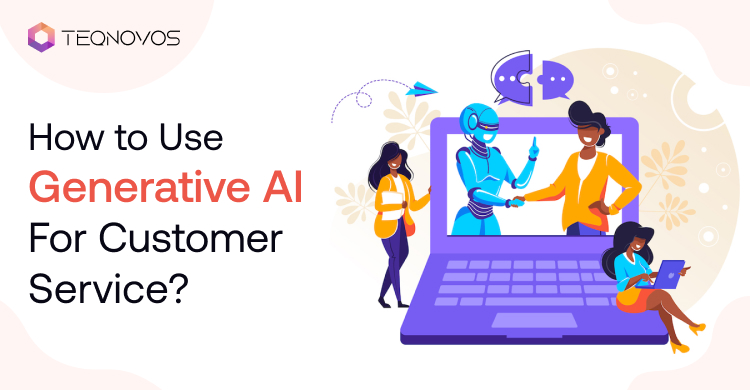
How to Use Generative AI for Customer Service?
Customer expectations have changed. People want fast answers and accurate guidance. They also expect support across chat, email, and voice. Support teams must meet these needs without lowering service quality.
Generative AI for customer service can help businesses manage this pressure. It can answer common questions and support human agents. It summarizes conversations and guides customers through approved service workflows.
The value does not come from automation alone. It comes from reliable data, clear rules, and secure system connections. This guide explains the main uses, benefits, and risks. It also explains how businesses can plan a safe rollout and measure real results.
What is Generative AI Customer Service?
Generative AI in customer service refers to language models that create responses based on a customer request and approved business context. A large language model is an artificial intelligence system that understands and creates human language.
A support system may connect the model with a knowledge base and a customer relationship management system. A customer relationship management system stores customer details and earlier interactions. The model can review the request and retrieve relevant information before it creates a response.
A reliable setup does not allow the model to answer every question without limits. It uses permissions and escalation paths. These controls help the system give useful answers while human agents manage sensitive or complex cases.
How Generative AI Support Process Works
Generative AI for customer service usually follows a clear process. The system first receives a message through chat, email, or voice. It then identifies the request and reviews the available context.
The system may retrieve information from approved sources before it creates an answer. This method is called retrieval-augmented generation. RAG helps a model use current business content instead of relying only on its original training data.
The system then applies rules. These rules may control refund limits, account permissions, and data access. It can create a reply or suggest an answer to an agent. It may also complete an approved action when the workflow allows it.
The final step is monitoring. The business reviews weak answers, failed handoffs, and unresolved requests. This feedback loop improves generative AI customer support over time.
Our Amazon Bedrock integration guide explains how businesses can connect models with secure knowledge sources and controlled workflows.
How Modern Gen AI Systems Differ From Traditional Chatbots
Traditional chatbots follow fixed rules. They often depend on buttons and predefined answers. They work well for narrow questions. These bots may fail when customers use unexpected wording or ask several questions in one message.
A generative AI chatbot for customer service can understand broader language. It can use earlier messages as context. It can also create a response that matches the request. This makes the interaction feel more natural.
AI customer service agents can go further. They identify intent, retrieve information, and complete approved tasks. They may update a ticket or check an order or start a return. The business must still control every action through permissions and clear limits.
Traditional chatbots follow predefined rules. Modern systems understand context and create more flexible responses. Businesses can explore the difference between these through a Generative AI Chatbot vs Traditional Chatbot beginner’s guide.
How Generative AI Improves Customer Support Operations
The benefits of generative AI in customer service extend beyond faster replies. The technology can support customers and agents at the same time. It can also improve consistency across service channels.
1. Faster Responses
A designed system can answer common questions as soon as a customer asks them. It can handle order updates, account guidance, and product information. Human agents can then focus on cases that need judgment.
2. Better Agent Productivity
Generative AI in customer service can draft replies and summarize long conversations. It then suggests next steps based on the complete conversation. This reduces repetitive work. It also helps new team members find the right information faster.
3. Consistent Answers
Support quality can vary when teams use different documents or personal notes. A grounded system can retrieve information from one approved source. This supports clearer and more consistent answers.
4. Continuous Availability
Generative AI customer support can assist users outside normal service hours. It can resolve suitable requests and collect information for cases that need a person. The system should tell customers when a human response will follow.
5. Scalable Operations
Customer service automation with AI can absorb sudden increases in ticket volume. This may happen during product launches, seasonal demand, or service outages. A controlled system can help the team manage demand without lowering support standards.
6. Better Customer Context
AI customer support automation can review earlier interactions, product details, and account history when permission rules allow it. This gives the agent or system better context for the next response.
7. Stronger Support Insights
The system can identify repeated questions and common failure points and gaps in the knowledge base. These insights can guide product updates and content improvements and agent training.
These benefits of generative AI in customer service depend on data quality and testing and human oversight. Poor inputs will still lead to weak outcomes.
How Businesses Can Use AI to Improve Customer Support
The most useful generative AI customer service use cases support self-service and agent-led work. The right choice depends on request volume and data readiness.
1. Knowledge-Based Self-Service
A system can answer common questions with information from approved help content. It may explain product features or delivery timelines or account steps. The response should cite the source when the interface supports it.
A generative AI chatbot for customer service works best when the knowledge base stays current. Each policy should have a clear owner. Teams should remove outdated or duplicate content before launch.
A custom chatbot may need access to product data and customer records. Businesses can use AI chatbot development services when standard tools cannot support these integrations or workflow requirements.
2. Agent Reply Assistance
The model can suggest a reply while a human agent remains in control. The agent can review the response and change it before sending. This approach suits complex requests that still need human judgment.
AI customer service agents can also summarize earlier messages. They can highlight the main issue and actions already taken and the current status. This helps the agent respond without reading the full history.
3. Ticket Classification and Routing
Customer service automation with AI can identify the topic, urgency, and language of a ticket. It can then send the request to the right team. It may also add tags and create a short summary.
This process should include fallback rules. Low-confidence requests should go to a general queue or a human reviewer.
4. Personalized Guidance
A support system can use approved customer data to guide the next step. It may suggest a suitable plan or explain a feature based on the customer account. It should never use personal data outside the agreed purpose.
Generative AI customer support becomes more useful when the recommendation explains why it fits the request. The system should also give the customer a way to reject the suggestion.
5. Conversation Summaries
Long support threads slow agents down. AI customer support automation can create a short case summary. It can capture the issue, key dates, earlier actions, and current status.
The agent is still able to view the source conversation. This makes it easier to verify the summary before taking action.
6. Multilingual Assistance
The system can translate customer requests and draft replies in supported languages. Human review remains important for sensitive or technical conversations.
The business should test each language separately. Tone and meaning can change across regions. A single English test does not prove that every language works well.
7. Voice Support
Generative AI for customer service can support voice conversations through transcription, knowledge retrieval, and response generation. It can guide the caller or help a human agent during the call.
Voice based support can help businesses manage appointment requests, call routing, and common service questions. Companies planning these solutions can use AI voice agent development solutions for connected voice workflows.
8. Workflow Actions
Some systems can do more than answer questions. They can check order status, reset a password, or update a support ticket. These actions require strict permissions and audit records.
Some systems can perform approved tasks across several tools. They may check an order, update a ticket, and notify the customer. Businesses can choose agentic AI development services for connected automation.
9. Knowledge Improvement
Support conversations often reveal missing help content. The model can group repeated questions and suggest new article topics. A human editor verifies every recommendation before publication.
These generative AI customer service use cases should not launch at the same time. A business needs to start with one low-risk use case and prove its value before expansion.
How to Plan and Launch AI-Powered Customer Support
Business leaders often ask how to implement generative AI in customer service without creating unnecessary risk. A phased process gives the team better control.
1. Review Current Support Demand
Start with real support data. Identify the questions that appear most often. Review the time agents spend on each request. Find tasks that follow a stable process.
The first use case has clear value and manageable risk. Password guidance or order tracking may be easier than disputes or account closure.
2. Select One Measurable Use Case
Define what success means before development starts. A goal may focus on response time, self-service resolution, or agent handling time.
Avoid broad goals such as improving support. Choose a specific workflow and a clear baseline.
3. Prepare the Knowledge Base
Remove outdated articles and duplicate policies. Give each important document an owner. Define how often the content will be reviewed.
Generative AI in customer service cannot produce reliable answers when the source content conflicts. Knowledge preparation often affects quality more than model selection.
4. Define Rules and Escalation Paths
List what the system may answer and what it may recommend and what it may change. Set clear limits for refunds, account actions, and sensitive data.
AI customer service agents need to transfer a case when confidence is low, or risk is high. The transfer should include the full conversation and a useful summary.
5. Connect Required Systems
The solution may need access to the help desk, customer relationship management system, and order system. Give the system only the permissions it needs.
AI customer support automation logs every action. The record shows what information the system used and what it changed.
6. Test With Real Questions
Use past support requests that represent common and difficult cases. Check answer accuracy, tone, source use, and escalation behavior.
Include support agents in testing. They understand the language customers use and the situations that create risk.
7. Launch a Controlled Pilot
Release the system to a limited audience or one support channel. Keep human review in place during the first stage.
Customer service automation with AI should expand only after the pilot meets agreed quality standards.
8. Monitor and Improve
Review failed answers, repeated escalations, and unresolved cases. Update the knowledge base and rules based on these findings.
This process explains how to implement generative AI in customer service in a practical way. It also reduces the risk of scaling a weak setup.
A business needs to assess its support data and integration requirements before development begins. Generative AI consulting services can help teams select the right use case and define a practical rollout plan.
Common Customer Support AI Risks and Prevention Measures
AI systems can improve support quality and speed. They can also create service and compliance risks. Businesses need clear safeguards before launch and after every major system change.
1. Incorrect Answers
AI may provide false or incomplete information. Use approved knowledge sources. Add source references. Route uncertain answers to human agents.
2. Outdated Information
Old policies can lead to incorrect guidance. Assign a content owner to each source. Set fixed review dates. Remove duplicate or expired content.
3. Sensitive Data Exposure
AI may reveal private customer details to the wrong user. Apply access controls. Mask sensitive data. Limit system access based on user roles.
4. Poor Human Handoff
Automation may keep a complex case for too long. Set confidence limits. Create clear escalation rules. Transfer the full conversation context to the agent.
5. Unauthorized Actions
AI may update an account or payment without proper approval. Require user confirmation. Add permission checks. Record every system action in an audit log.
6. Prompt Attacks
A prompt attack occurs when a user tries to override the system instructions. Restrict tool access. Validate every request. Businesses deploying connected support systems can use AI guardrails development services to control unsafe prompts and unsupported responses.
Key Metrics for Measuring AI Customer Support Performance
AI customer service needs speed and quality measures. Faster responses do not always create better outcomes.
Track first response time to see how quickly the customer receives help. Track resolution time to understand how long the full issue takes. Review first contact resolution to see how often the customer gets a complete answer during the first interaction.
Measure self service resolution rate for automated channels. Compare this with escalation rate and reopened ticket rate. A high automation rate means little when customers return with the same problem.
Customer satisfaction score can show how users feel after the interaction. Answer accuracy comes from regular human review. Cost per resolution can show whether the system creates operational value.
Agent adoption also matters. Low use may signal poor suggestions or weak integration. The business should review these measures together instead of relying on one headline number.
Support Cases That Need Human Decision Making
- Generative AI for customer service can manage routine questions and approved tasks. Some requests still require human judgment. Clear escalation rules protect the customer and the business.
- Legal Complaints: Transfer legal disputes and formal complaints to an authorized team. AI can summarize the conversation and retrieve the relevant policy.
- High Value Refunds: Route large refunds and payment disputes through an approval process. A trained employee must review the account details before making the final decision.
- Identity and Account Issues: Send identity verification failures and account closure requests to a human agent. These cases need stronger checks and clear accountability.
- Safety and Financial Concerns: Escalate safety risks and financial hardship cases and serious service failures immediately. These situations need empathy and careful judgment.
- Unclear Customer Requests: Ask a focused follow up question when the system lacks enough context. Transfer the request when uncertainty remains.
AI can prepare the case for the human agent. It can summarize the issue and highlight earlier actions and retrieve the relevant policy. The assigned employee keeps control of the final response and decision.
How Businesses Can Evaluate Their First AI Support Opportunity
A simple decision framework can help teams select the right starting point.
Score each idea based on request volume, process stability, data quality, and integration effort. Also review expected value and the need for human approval.
A high volume request with clear rules and reliable data often makes a strong pilot. A rare request with legal risk and unclear policy does not.
Support automation should begin where the business can measure results and correct problems quickly. This creates useful evidence before the company invests in broader automation.
Conclusion
A strong generative AI for customer service strategy improves the complete service journey. AI customer service becomes more useful when it supports customers and operations. It helps customers find answers and agents make better decisions. It also helps teams improve weak service processes.
Teqnovos can design and build secure support solutions for companies that need a custom experience. The team can connect language models with business knowledge and approved workflows.